Parking Sensor Beeper
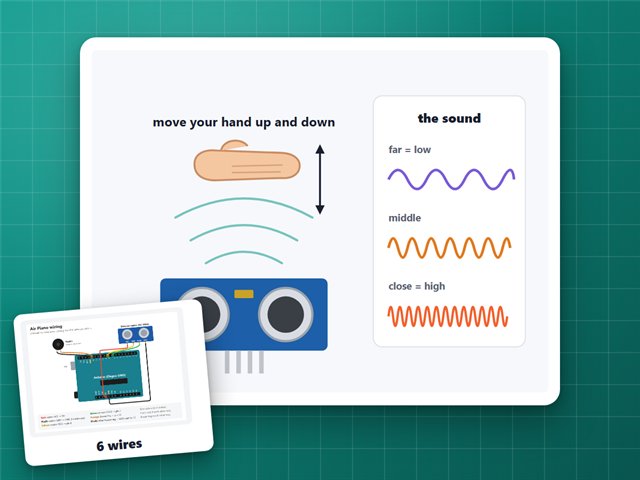
Like the beeper in a car's bumper: it beeps faster and faster as something gets closer, and one long beep when it's too close.
Board: Arduino UNO (Elegoo UNO R3)
What you need
What it is
My first sensor project. Point the sensor at a wall and walk toward it: once you're closer than about 3 feet (100 cm), it starts beeping, faster and faster the closer you get, and gives one long beep when you're within 8 cm. The board's L light comes on too.
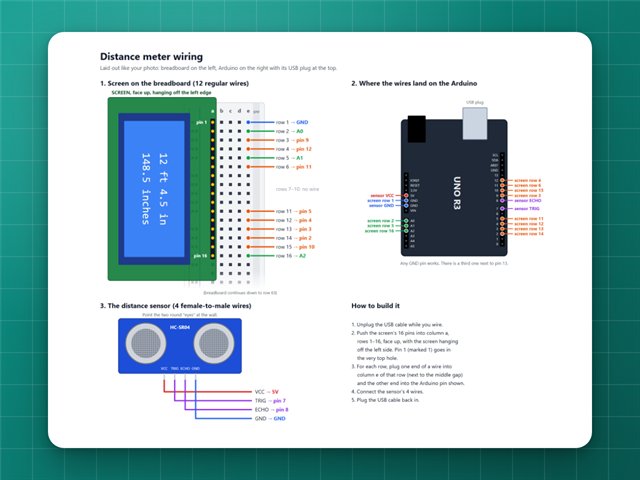
It also tells the computer the distance twice a second, like 42 cm (16.5 in).
How it works
- The ultrasonic sensor sends a click of sound too high to hear and times how long the echo takes to come back. Sound travels about 343 metres a second, so the time tells the distance.
- The beep speed is worked out from the distance: the closer the object, the shorter the gap between beeps.
Build it
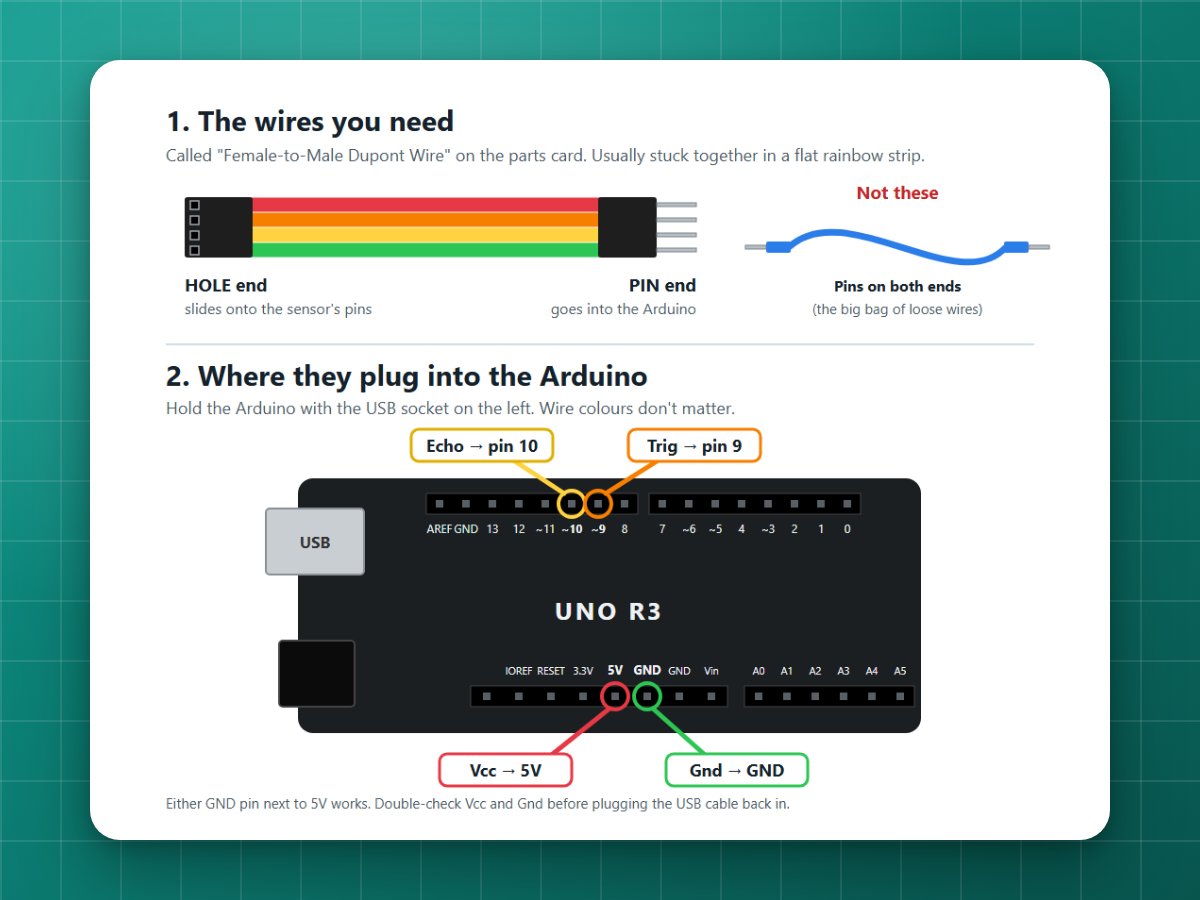
1Wire the sensor
Four female-to-male wires, no breadboard:
| Sensor pin | Arduino |
|---|---|
| Vcc | 5V |
| Trig | 9 |
| Echo | 10 |
| Gnd | GND |
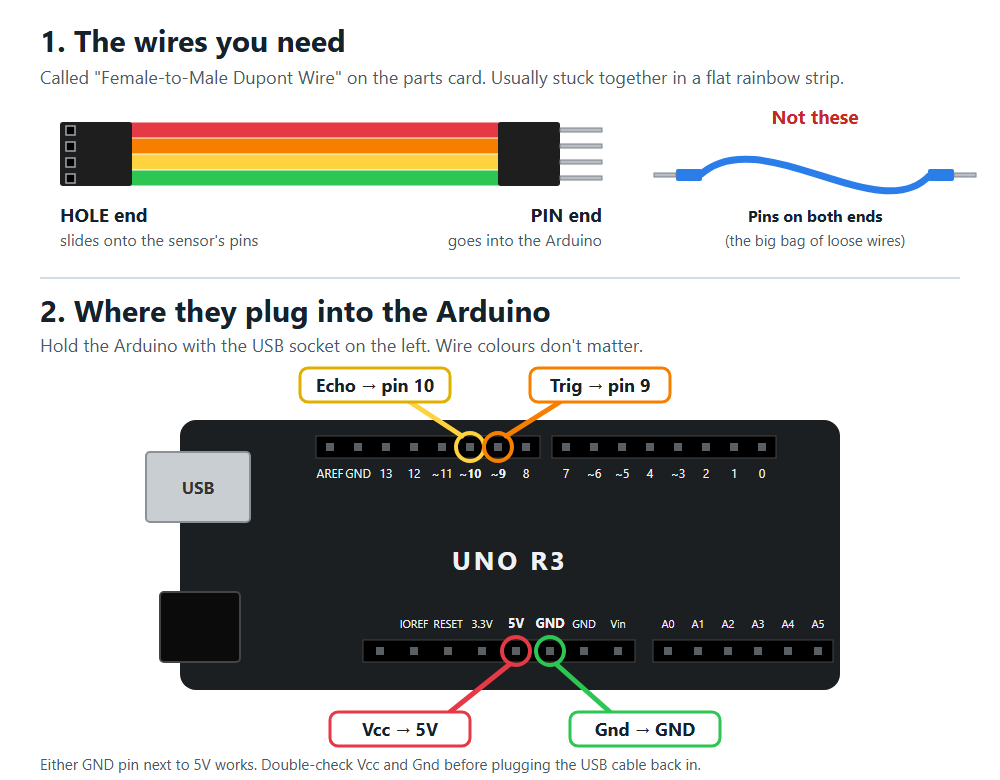
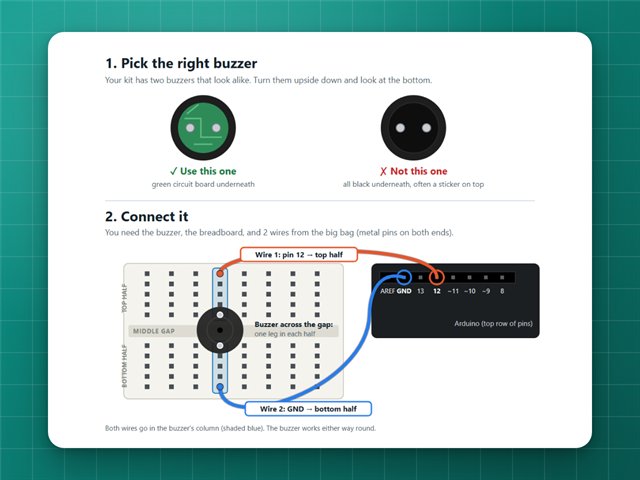
2Add the buzzer (optional)
The passive buzzer from Buzzer Songs: one leg to pin 12, the other to GND.
3Upload and try it
Upload the code (see Getting started), open the Serial Monitor at 9600 baud, and move your hand in front of the sensor.
Change it
Near the top of the code:
ALARM_DISTANCE_CM = 100is how close something must be before it starts beeping.TOO_CLOSE_CM = 8is when it gives the long beep.
If it doesn't work
- "Nothing in range" all the time: check that Trig is on 9 and Echo on 10 (swapped wires are the most common mistake), and that Vcc and Gnd are on 5V and GND.
- Jumpy numbers: aim at something hard and flat. Soft things soak up the sound.
The code
Copy it into the Arduino app, or download the file. New to this? Start with Getting started.
// Parking sensor with the HC-SR04 distance sensor from the Elegoo kit.//// Wiring (4 female-to-male wires, no breadboard needed):// Vcc -> 5V// Trig -> pin 9// Echo -> pin 10// Gnd -> GND// Optional: the passive buzzer from the songs project (pin 12 and GND)// beeps faster as something gets closer. The "L" light turns on too.const byte TRIG_PIN = 9;const byte ECHO_PIN = 10;const byte BUZZER_PIN = 12;const int ALARM_DISTANCE_CM = 100; // start beeping when something is closer than thisconst int TOO_CLOSE_CM = 8; // one long beep when it's this closeunsigned long lastBeep = 0;unsigned long lastReport = 0;void setup() { pinMode(TRIG_PIN, OUTPUT); pinMode(ECHO_PIN, INPUT); pinMode(LED_BUILTIN, OUTPUT); Serial.begin(9600); Serial.println("Distance sensor ready");}void loop() { int cm = measureCm(); unsigned long now = millis(); // Tell the computer the distance twice a second. if (now - lastReport >= 500) { lastReport = now; if (cm < 0) { Serial.println("Nothing in range"); } else { Serial.print(cm); Serial.print(" cm ("); Serial.print(cm / 2.54, 1); Serial.println(" in)"); } } bool near = cm >= 0 && cm < ALARM_DISTANCE_CM; digitalWrite(LED_BUILTIN, near); if (!near) { noTone(BUZZER_PIN); } else if (cm <= TOO_CLOSE_CM) { tone(BUZZER_PIN, 1500); } else { // The closer it is, the shorter the gap between beeps. unsigned long gap = map(cm, TOO_CLOSE_CM, ALARM_DISTANCE_CM, 80, 900); if (now - lastBeep >= gap) { tone(BUZZER_PIN, 1500, 50); lastBeep = now; } } delay(60); // the sensor needs a short rest between measurements}// Sends out a click of sound and times how long the echo takes to come back.// Returns the distance in cm, or -1 if no echo came back.int measureCm() { digitalWrite(TRIG_PIN, LOW); delayMicroseconds(2); digitalWrite(TRIG_PIN, HIGH); delayMicroseconds(10); digitalWrite(TRIG_PIN, LOW); unsigned long microseconds = pulseIn(ECHO_PIN, HIGH, 30000); if (microseconds == 0) return -1; return microseconds / 58; // sound goes 1 cm out and back in about 58 microseconds}